
Over the past couple of months I have truly fell in love with Google Buzz, which I am sure you are aware of with my previous articles. That being said there is still room for improvements.
Here are some of the issues I see with Google Buzz at this point:
- It is only available in Gmail accounts. This is great for you and I who have Gmail accounts, but it limits the number of new users because of the barrier of entry.
- The Buzz count has never really worked properly. Works fine now.
- Twitter posts come in hours late if at all. Works fine now.
- Constantly having to click on the “Buzz” link to refresh the page, to get the new/updated content or the remove the unread number. Works fine now.
- New content does not always come in automatically. Works fine now.
- There is no “Mark as Read” button, yet it uses “UnRead” for it’s Buzz count.
- There is no easy way to follow a Buzz user and be able to @reply them.
- Following a user does not add their email to your contacts, which is what they use for @replying someone.
- No one really understands grouping and how it works. I would rather see groups based on time than by a single user. For example: I would come in and view Buzz in the morning and I would have a 4 o’ clock group, a 5 o’ clock group etc. Grouping is now more consistent and works properly. Groups are now labeled to whether they are related by topic or person. Grouping is now more consistent and works now.
- The “load more” button at the bottom of Buzz should allow us to view more Buzz posts. This currently stops at a specific and unknown time or post count. If it will only go back a specific amount then please let us know this amount.
- Sometimes a muted post will show up in the Buzz stream after the page has been refreshed. Works fine now.
- Too many unknowns. Some of the features for Buzz are great, but it is unknown how to use them right away. There is no document/help guide to tell you how the “load more” botton works, why posts will show up in your Buzz stream after you have selected to “mute” that item. No one knows how to really get the @reply to work, many Buzz users share this information, hence why I wrote the article Google Buzz: Tips, Tricks and How To’s.
I know the Google Buzz team is hard at work on trying to update/correct some of these issues.
Check out the Google Buzz Moderator forum and let the Google Buzz team know what you find important.
Update 10:24pm 4/29/10: I forgot to include the following items:
- We need to be able to apply filter to specific Buzz users and posts, manually and with rules. This would allow users to organize Buzz into categories so that they can read the more important posts first. Using rules would work exactly as Gmail Rules and Labels.
- We need an advanced search feature to be able to search the following ways: By date, By Poster, By commenter, By topic, By Source (Buzz, Twitter, Reader etc), Has attachment. This needs to be setup like the advanced features on google.com so that we can use the basic search for most things, but clicking a link can bring up the advanced search options.
- Google Buzz needs a live stream that can be found at buzz.google.com which would show the current topics being covered. Basically the same thing as what can be found on the home page for Twitter. You can also show the most talkative people on Buzz as well as the search (with advanced options) this would help people find new users to check out and follow.
- When a blog publishes an update it would be nice if the Buzz post for it would update as well or at least publish a new Buzz post if the previous is not possible. This now works, this is a GREAT update.
Update 12:00pm 5/02/10:
- When posting a new Buzz post that includes a link, we need to be able to update the text that it shows. For example: I created a new Buzz post from a Google Spreadsheet web page and it showed up in Buzz as “Welcome to Google Docs” instead of the title of the spreadsheet “Recommended iPod Apps (Grade Levels & Subjects) Escondido Union School District – iRead : 2009-2010”
Update 1:00pm 5/02/10:
- Users are able to mask their Google Buzz username with using their ID instead of a username, however this causes a big problem because you can not @reply someone with their ID. We need the ability to @reply their user ID or a way that users can create custom usernames, separate from their gmail addresses.
Update 3:46pm 5/02/10:
- Adding sites to Google Buzz is strange. Right now you can add websites you belong to on your Google Profile, but in order to have a site post into Buzz you need to login to your Gmail account, go to your Buzz tab and select “View and edit” in the “Your connected sites” section and add the site from there. What would be nice is a new option to “Add to Buzz” from within the Google Profile page.
Update 8:42am 5/04/10:
- Unable to attach multiple photos at a time while choose photos from Picasa.
Update 12:15pm 5/06/10:
The right click function breaks all of the time while using Buzz. I use this to copy someones username/profile link to get @reply them.This was caused by the gesture feature in Gmail labs. Once I turned it off, it works fine now.
Update 2:45pm 5/09/10:
Buzz needs a hotkey for liking a post. I think it should be the L if possible, similar to what it is on Google Reader. This would be very useful to some of the more power users of Buzz.The hot key is “Shift + L”
Update 9:25pm 5/11/10:
- When we click on the “X Followers” (replace x with the number of followers that you have) link it shows us a list of the people who are following us. We need to be able to do a search from within this page so that we can see if a certain person is following us or not.
- Make the username window pop-up and not down, when the text box is near the bottom of the screen
- We need the ability for Google Translate tools to translate Buzz. There are a few people that I would like to follow, but I can’t since it is too much work at the moment to translate their posts.
- Mask my username only to unknown, untrusted users. Allow me to share my username with specific people.
Update 1:5pm 5/11/10:
- We need to break out contacts section into 2 groups One for real contacts and one for Buzz contacts Josh Braun said it best on Buzz I feel like Buzz followers and following should be separate altogether from your normal list of email contacts, though with a button or link that makes a person you’re following easy to add to that list. So, your Buzz contacts list could be managed separately, but the Buzz contact card, when you brought it up, would have a link saying “Add to email contacts.” By: Josh Braun – http://www.google.com/profiles/Joshua.A.Braun#buzz
- We need an easier way to assign contact groups in Buzz, I’d also like an easier way to assign contact groups in Buzz. Currently, when I start a new contact group from the Buzz interface for a private post, it gives me my full Google contacts list, which may or may not include the folks I’m following on Buzz. When I use this feature, I’d rather have a complete list of people I’m following/being followed by on Buzz than my email contacts list, which may not contain the people I’m looking for, and/or may contain Gmail contacts who aren’t even on Buzz. By: Josh Braun – http://www.google.com/profiles/Joshua.A.Braun#buzz
Update 2:45pm 5/11/10: – Buzz discussion
- When getting a new follower and clicking on their name, we need to be taken to their user profile and not just viewing their posts. This would also be the same case for clicking on any buzz users name. This should also open in a new tab and not in the same window or embedded within buzz.When we have a new follower we are able to click their name to get an overview about what they post. Currently this page does not really tell you anything about the person. For example if a user is an active commentor but not an active poster it would be nice to have a way to see that rather than just looking through their post. I would rather be taken to their user profile then this sublet page where it only shows me their posts. This would make it possible for people to let others know that they are not active posters but are very active when it comes to commenting, as well as eliminating two pieces of code that Google would have to manage.
Update 9:00am 5/12/10: – Buzz discussion
- A menu that would pop up when you click on a users name. In the menu it should have “reply, view profile, block, send private message
Update 9:00pm 5/12/10: – Buzz discussion
- The drop down when @replying someone should update to have the most used contact be at the top of the list and descend – This is now how it is setup.
- When receiving emails from Buzz, the Buzz emails should be “marked as read” if the item has been read in the Buzz stream.
Update 10:50am 5/14/10:
- After muting a post we still need to get @reply updates when someone mentions my name using an @reply
Update 8:20pm 5/15/10: – Buzz Discussion
- Uninformative RSS feeds and post titles. Simply put, the titles of RSS items coming from Buzz are completely uninformative. The title of a Buzz feed is simply “Google Buzz” with no indication as to who it comes from. Items all read “Buzz by User” with no indication as to what the post is about. Buzz posts don’t have headlines, but even a title consisting of the first characters of the post would greatly improve things here. Similarly, the page titles of permalinked Buzz posts don’t tell you anything about their content. Prospective readers encountering Buzz posts through RSS feeds or shared links on different social media services are not likely to click through when the title gives no information about the post. –Buzz Discussion By: Josh Braun – http://www.google.com/profiles/Joshua.A.Braun#buzz
- Body text of posts disappears when viewed from public profile pages. Some posts with multiple attached links don’t display correctly when viewed from a public profile page. The links and comments appear, but the body text does not.-Buzz Discussion By: Josh Braun – http://www.google.com/profiles/Joshua.A.Braun#buzz
- Embedded audio files don’t play. Google’s fantastic embedded MP3 player makes it possible to share audio right here on the site. But the player stopped working awhile ago. There’s no sound and the player itself changes to a black bar as soon as you click play.-Buzz Discussion By: Josh Braun – http://www.google.com/profiles/Joshua.A.Braun#buzz
- Mute updates from user ( stops you from getting updates from this user for a specific post)
- Mute/block user (this stops all @replys from them coming to you)
- we need the hover ability that is now located on the permalink for each post – http://picasaweb.google.com/lh/photo/Rrr6BeuAZuBaLDnZKO4I4g?feat=directlink
- We need to be able to see the map view and list view on the same window in the browser, this would give us a nice alternative view to find local posts easier. Pulling the two different pages from the mobile version
Update 10:55am 5/21/10:
- A tagging system which can be added to any Buzz post, similar to hash tags for Twitter. This would mark specific posts as, #check-in, #Games, #Google Reader, #Twitter, #Facebook. Once these Buzz posts have a hash tag, then it would make it easy to weed out posts related to a specific topic, like games, or twitter etc.
- Allow me to paste in a long URL into buzz and give me the option to auto shrink the URL using gog.le URL shortner and/or be able to to change the link text
- Contact groups need to function when @replying to a group in a public post. When I create a contacts group, I would love it if Buzz would read these properly so that I can @ reply the group and everyone in that group gets the message properly. Currently is shows their name and email and name in a ugly manner. Example: @”Person1″ , “Person2” , “Person3”
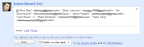
From Web Posts - I would love a way to add an RSS feed to my profile so that my blog posts can show up in a tab like my buzz and side wiki posts
Update 11:50am 5/27/10:
- Google Buzz adds the re-share button
- A setting to receive reshare updates, letting you know every time someone reshares and article. This setting should be in the Buzz settings found in Gmail
Update: 9:05pm 11/08/10
After a few months I decided to check back in on this list, and more than 10 things have been added from this list since May. Thanks for the great work Google.
2 Comments on “Problems With Google Buzz”
Places that this post has been mentioned:
Leave a Reply
You must be logged in to post a comment.